
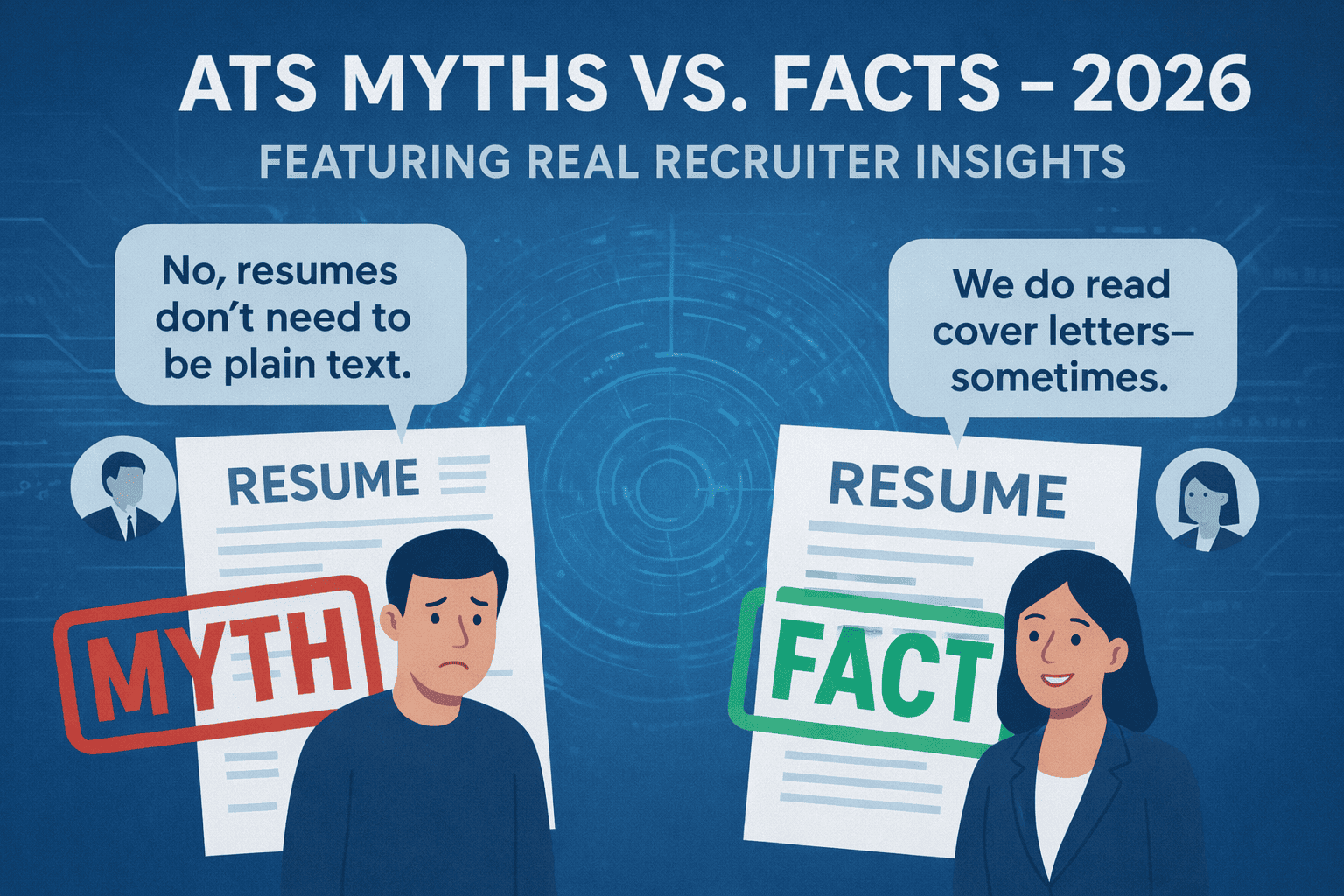
ATS Myths vs. Facts in 2026 (With Recruiter Quotes)
Many candidates face confusion due to widespread ATS resume myths. Sorting fact from fiction helps you create resumes that truly pass Applicant Tracking Systems and impress recruiters in 2025.
| What to Do (Short Checklist) |
|---|
| Verify ATS advice with official vendor docs and recruiters |
| Use ATS-friendly formatting with tested templates |
| Avoid common myth-based mistakes like keyword stuffing |
| Test your resume parsing regularly |
| Focus on clear, relevant content tailored to job posts |
How ATS Parse Resumes Today
ATS software extracts text from resume files (typically DOCX or text-based PDF) by reading the underlying text layer. It categorizes information like:
- Contact information
- Skills and keywords
- Work experience and achievements
- Education and certifications
Pitfalls include missed data from tables, images, and non-standard formatting or fonts. ATS ranks candidates based on keyword matches and relevance, increasingly aided by AI and natural language processing. Modern systems don’t just count keywords—they analyze context, job title progression, and even the quality of your writing. This means a resume that reads well to a human also tends to perform better in an ATS.
ATS Myths vs. Facts in 2025 (With Recruiter Quotes) — Core Principles
| Myth | Fact | Recruiter Insight |
|---|---|---|
| Myth 1: ATS reject resumes without specific keywords. | ATS rank resumes higher with relevant keywords but do not outright reject unless critical. | “Including relevant keywords as naturally as possible helps a lot, but stuffing looks bad.” — Hiring Manager, Tech Corp. |
| Myth 2: Fancy formatting and graphics impress ATS. | ATS often fail to parse complex layouts, images, and charts. | “Simple, clean formatting is what gets resumes noticed by our ATS.” — Recruitment Lead, Finance Inc. |
| Myth 3: PDFs always cause ATS parsing errors. | Text-based, well-saved PDFs are compatible with most ATS. | “We accept both DOCX and PDFs, but poorly saved PDFs can be a problem.” — HR Specialist, Marketing Firm |
| Myth 4: More keywords = better ATS ranking. | Keyword stuffing lowers readability and can trigger filters. | “We value clear resumes over keyword soup. Quality beats quantity.” — Talent Acquisition, Healthcare Org. |
| Myth 5: ATS only scan resumes for keywords. | Modern ATS also analyze context, experience, and formatting. | “Our system evaluates experience and phrasing, not just keywords.” — Senior Recruiter, Manufacturing Co. |
| Myth 6: You must match every keyword in the job description. | ATS look for relevance, not 100% keyword coverage. Missing a few terms won’t disqualify you if your overall profile fits. | “I’d rather see a resume that tells a story than one that reads like a checklist.” — Recruiter, SaaS Startup |
| Myth 7: ATS automatically reject resumes with employment gaps. | Gaps are not a rejection factor; ATS don’t judge them. Recruiters may notice, but a well‑written resume can address gaps positively. | “Gaps don’t bother me if the candidate explains them honestly in a cover letter or summary.” — HR Director, Nonprofit |
| Myth 8: You need a separate ATS version and a human version of your resume. | A single, clean, well‑structured resume works for both ATS and human readers. The same principles—clarity, relevance, and scannability—serve both. | “I can always tell when a candidate has over‑optimized for the system. Just write for a human and the ATS will follow.” — Talent Partner, Retail |
Common Mistakes to Avoid
- Keyword stuffing or repeating the same words unnaturally
- Using tables, text boxes, or columns that break parsing
- Ignoring ATS file format preferences (DOCX preferred, PDFs acceptable if saved correctly)
- Assuming ATS bots are human and over-formatting resumes
- Neglecting to tailor resume content to job descriptions
- Using headers or footers for critical information (many ATS ignore them)
- Saving your resume as an image‑based PDF or scanned document
Examples: Before → After
Before:
Keyword-stuffed resume with heavy use of graphics and multiple fonts. ATS skipped sections, and recruiter found it hard to read.
After:
Clean, ATS-friendly resume with natural keyword use, consistent formatting, and clear sections. Passed ATS checking tools and received recruiter praise.
Decision Aids
ATS Resume Myth-Busting Checklist:
- Am I using an ATS-compatible file format?
- Is my resume free from complex tables and images?
- Are keywords integrated naturally, not stuffed?
- Have I tailored the resume for the job description?
- Did I test my resume with an ATS parsing tool?
How to Test Your Resume (Parsing Checks)
- Upload your resume to multiple ATS parsing tools for feedback.
- Analyze the extraction of contact info, keywords, and sections.
- Adjust formatting and keyword integration based on results.
- Retest until parsing is clear and comprehensive.
FAQ
Q: What are the most common myths about applicant tracking systems?
A: The most persistent myths include that ATS automatically reject resumes without certain keywords, that fancy designs help, that PDFs always fail, that more keywords equal a higher score, and that ATS only look for keywords. In reality, modern ATS evaluate context, readability, and overall fit—much like a human recruiter would.
Q: Do keywords guarantee ATS success?
A: No. Keywords must be relevant and naturally included to pass ATS and appeal to recruiters. Over‑optimizing for keywords can make your resume sound robotic and hurt your chances with both the system and the hiring team.
Q: Are fancy designs harmful to ATS?
A: Complex formats often cause parsing errors; simplicity works best. Stick to a single‑column layout, standard fonts, and clear section headings. If you’re in a creative field, keep a plain version for online applications and a designed version for networking.
Q: Can I submit PDF resumes safely?
A: Yes, if the PDF is saved as text-based and ATS-compatible. Avoid scanned or image‑based PDFs. When in doubt, use a DOCX file—it’s the most universally accepted format across all ATS platforms.
Q: Are all ATS the same?
A: No, ATS capabilities vary; staying updated on best practices is key. Systems like Greenhouse, Workday, and iCIMS each have slightly different parsing rules, but all favor clean, well‑structured resumes.
Q: Will a two-column resume hurt my ATS score?
A: Very likely, yes. Multi-column layouts are the single most common parsing failure point across popular ATS platforms like Greenhouse, Lever, and Workday. The system reads left to right, top to bottom, so a two-column layout causes it to mix content from both columns into a single garbled stream. Use a single-column format and keep columns only for minor details like contact information.
Q: Does file size or document length affect ATS ranking?
A: No ATS ranks resumes by file size or raw page count. However, extremely long resumes—say, ten pages for a five-year career—can signal poor judgment to the human recruiter who reviews the ATS output. Keep resumes to one page for under ten years of experience, and two pages maximum beyond that.
Q: Should I include a photo on my resume for ATS?
A: No. Photos can confuse ATS parsing and, in many countries (like the U.S. and UK), they introduce bias concerns that recruiters actively avoid. Unless you’re applying in a region where photos are standard (e.g., parts of Europe), leave them off entirely.
Q: How can I check if my resume is ATS-friendly before applying?
A: Use a free ATS resume checker like ResumeMate’s score checker to get instant feedback on formatting, keywords, and section completeness. You can also save your resume as a plain text file and see if the content remains clear and in the correct order.
Deep Dive: How Modern ATS Actually Scores Your Resume
Understanding the scoring mechanism helps you stop guessing and start optimizing intentionally.
Most enterprise ATS platforms (Taleo, Greenhouse, Workday, iCIMS) use a combination of three factors when ranking a resume:
1. Keyword relevance. The system compares terms in your resume against terms in the job description. But “relevance” is not just about exact matches—modern ATS use semantic matching. If the job description says “managed cross-functional teams” and your resume says “led collaborative projects across departments,” a well-tuned ATS will recognize the overlap. This is why paraphrasing naturally is better than copying phrases word for word.
2. Section completeness. ATS systems expect to find clearly labeled sections: Summary or Objective, Work Experience, Education, and Skills. If your resume omits a section or uses a non-standard label (e.g., “Career Story” instead of “Work Experience”), the parser may fail to categorize that content, which reduces your completeness score.
3. Recency and tenure signals. Many ATS weight recent experience more heavily than older roles. A job you held last year carries more keyword weight than one you held a decade ago. This is why tailoring your current or most recent role’s bullet points to the job description gives you the best return on investment.
Role-Specific ATS Considerations
ATS optimization is not identical across every industry. Here is what changes by role type:
Technical Roles (Engineering, Data, IT)
ATS for technical roles are particularly sensitive to specific tool and language names. “JavaScript” and “JS” are not the same token in many older systems. List technologies in full and include abbreviations in parentheses where relevant: “Python (NumPy, Pandas), JavaScript (React, Node.js).” Avoid burying tool names in paragraph-style descriptions—use a dedicated skills section.
Creative Roles (Design, Marketing, Content)
Creative professionals often use visually rich resumes that fail ATS parsing entirely. The safest approach is to maintain two versions: a designed PDF for networking and direct submissions, and a plain ATS-safe PDF or DOCX for online portals. Never embed your portfolio content inside the resume file—link to it with a standard URL.
Healthcare and Compliance Roles
These roles rely heavily on certifications, licenses, and specific credential codes. List credentials exactly as they appear in official records (e.g., “Registered Nurse (RN)” not “Registered Nurse”). Include license numbers and states where relevant. ATS in healthcare often parse credential fields separately from skills, so confirm your resume has a dedicated Certifications or Licenses section.
Executive and Senior Roles
Senior candidates sometimes believe ATS does not apply to them because they rely on referrals. In practice, even executive applications submitted through company portals go through ATS. The difference is that executive resumes are reviewed more carefully by humans afterward—so your resume must pass ATS and then read well at the board level. Keep formatting clean, achievements quantified, and remove junior-level detail. For sales leadership roles like Account Executive, check out our Account Executive Roles & Responsibilities Guide for role‑specific metrics that resonate with both ATS and hiring managers.
Career Changers
If you’re pivoting industries, a combination resume format can help you highlight transferable skills while still showing a chronological work history. This format places relevant competencies near the top, making it easier for ATS to match you to the job. Learn more in our Career Change Resume Format (Combination Template) guide.
Students and New Graduates
Entry‑level candidates often worry about thin experience sections. ATS don’t penalize you for being early in your career—they simply look for the information you do provide. Emphasize projects, coursework, and relevant skills. Our College Student Resume (Projects, Coursework & Skills) post shows exactly how to structure these sections for maximum ATS impact.
Before & After: ATS Resume Transformation (Detailed)
Before — problematic resume excerpt:
Skills: I am highly proficient in a wide variety of software programs and tools. I enjoy working with others and have experience in many different industries.
Problems: No specific software names for ATS to index. Vague claims with no metrics. “Many different industries” signals lack of focus.
After — ATS-optimized version:
Skills: Adobe Photoshop, Illustrator, InDesign | Microsoft Excel (pivot tables, VLOOKUP) | HubSpot CRM | Google Analytics 4
Experience Summary: 6 years in B2B SaaS marketing; managed campaigns across FinTech and HealthTech verticals.
The “after” version gives ATS discrete, parsable tokens and gives the human reviewer specific, credible context.
Step-by-Step: How to Test Your Resume Against ATS Before Applying
- Save your resume as a plain .txt file. Open the file in Notepad or a basic text editor. If the text is scrambled, incomplete, or missing sections, your ATS parsing will have the same problems.
- Use a free ATS checker. Tools like Jobscan, Resume Worded, or ResumeMate’s score checker compare your resume against a specific job description and show you keyword gaps and formatting issues.
- Copy the job description into a word frequency tool. Paste it into a free tool like WordCounter.net and identify the five most frequently used substantive terms. Ensure all five appear naturally in your resume.
- Submit a test application. Some companies use platforms with a preview feature. Use it. Others have a “paste your resume” field—paste your text and see how it renders.
- Recheck after every edit. Each formatting change risks introducing parsing issues. Run the plain text test again after any significant revision.
Start with an ATS-Friendly Template → Build Now
Debunk myths and build a resume that wins ATS rankings and recruiter interest with proven templates and tools for 2025. Create your free ATS‑ready resume in minutes with ResumeMate’s builder.
Build, Score & Track Your Job Search with ResumeMate
Resume Builder → — Create an ATS-ready resume in minutes.
Resume Score Checker → — See how your resume scores against ATS systems instantly.
Job Board → — Browse jobs matched to your resume.
Job Tracker Chrome Extension → — Track every application, deadline, and follow-up in one place — free.
